Accessing Additional Patient Pages
This tutorial explains how to access additional patient-related pages available under the More dropdown menu. These pages provide access to specialized features for documentation, diagnostics, and patient management.
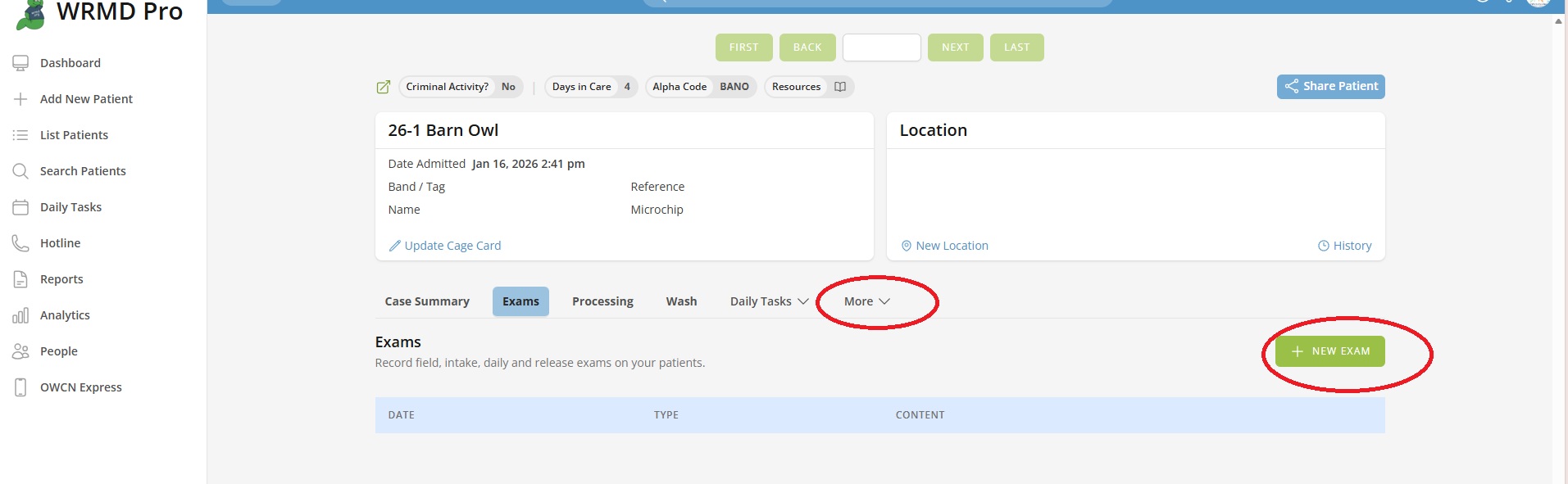
Accessing the More Menu
- Navigate to any patient's record.
- Look for the More dropdown in the patient navigation tabs.
- Click More to reveal the dropdown menu with additional page options.
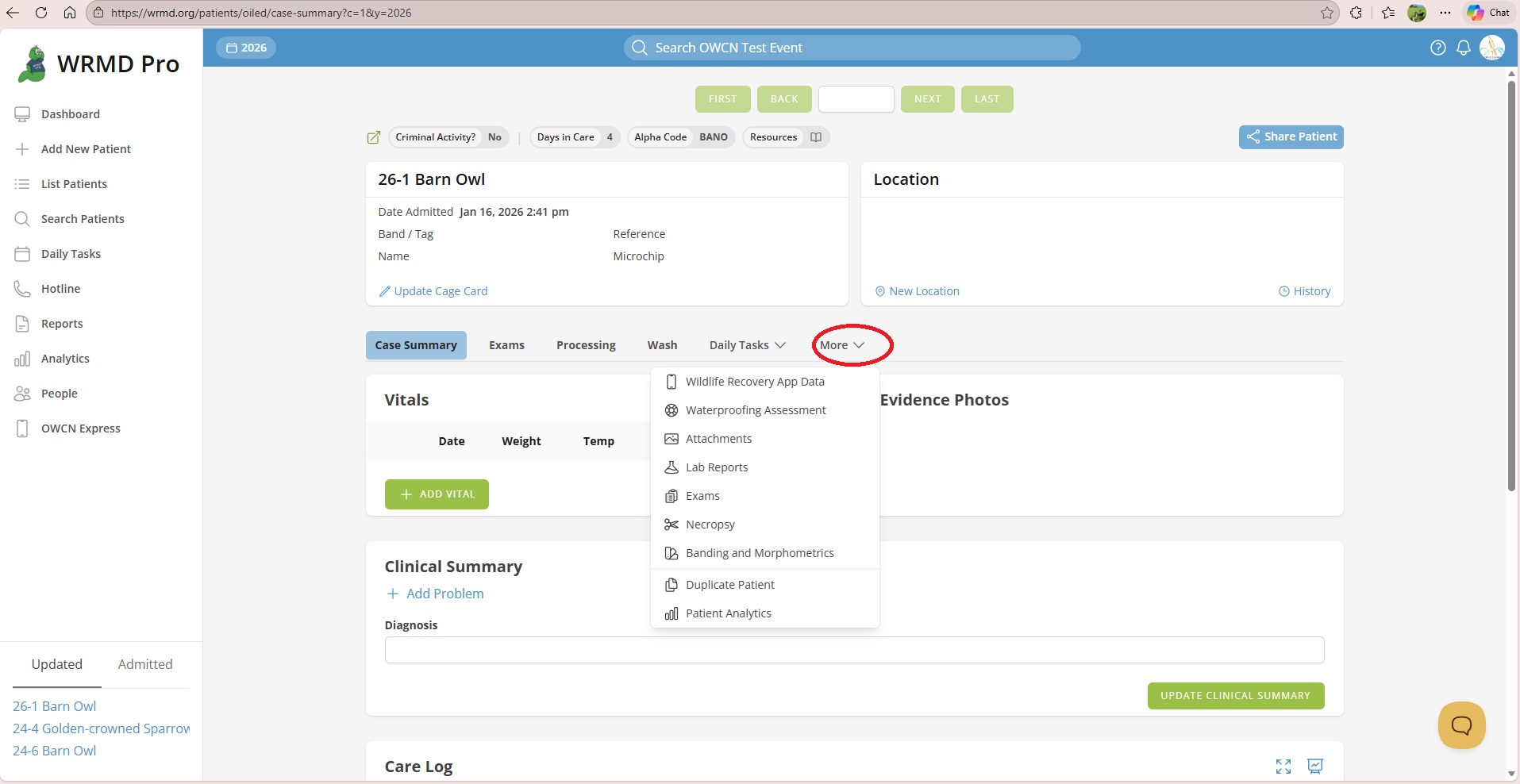
Note: On mobile devices, these options appear in the tab selection dropdown rather than a separate More menu.
Available Pages
The More menu organizes pages into groups. The pages you see depend on your permissions and which extensions are enabled for your organization.
Clinical Documentation
Wildlife Recovery App Data
View the raw field data collected using the OSPR Wildlife Recovery mobile application. This page displays information recorded during field collection, including:
- Survey and team information
- Collection location and GPS coordinates
- Animal condition and taxa
- Field notes and observations
Note: This option only appears when the OWCN OWRMD extension is activated.
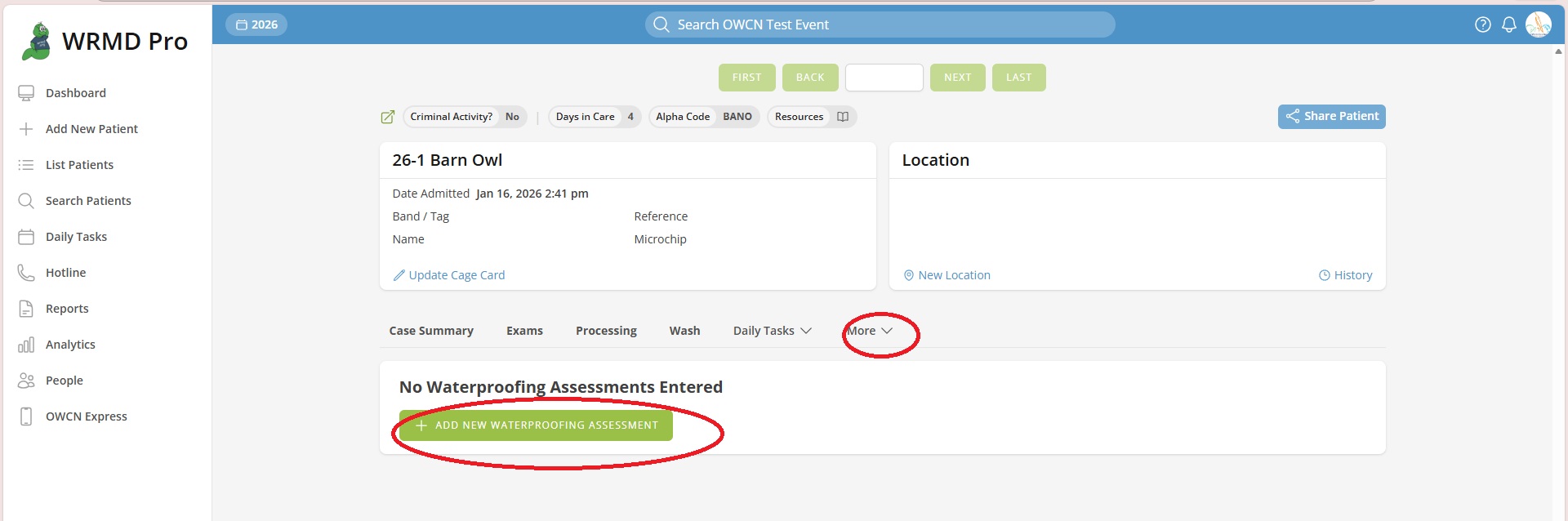
Waterproofing Assessment
Access the Waterproofing Assessment page to track the patient's progress toward regaining natural waterproofing after washing. This page allows you to record buoyancy, preening behavior, and areas that remain wet.
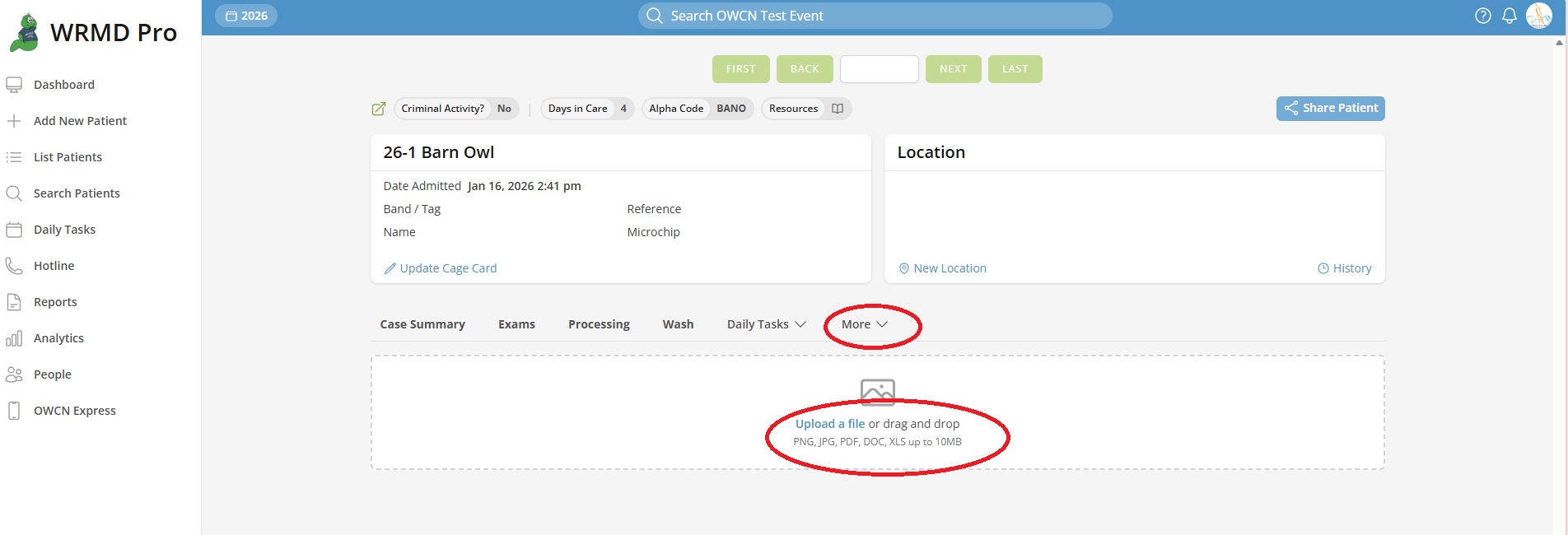
Attachments
View and manage file attachments for the patient record. Use this page to:
- Upload documents, images, or other files
- View previously uploaded attachments
- Organize supporting documentation
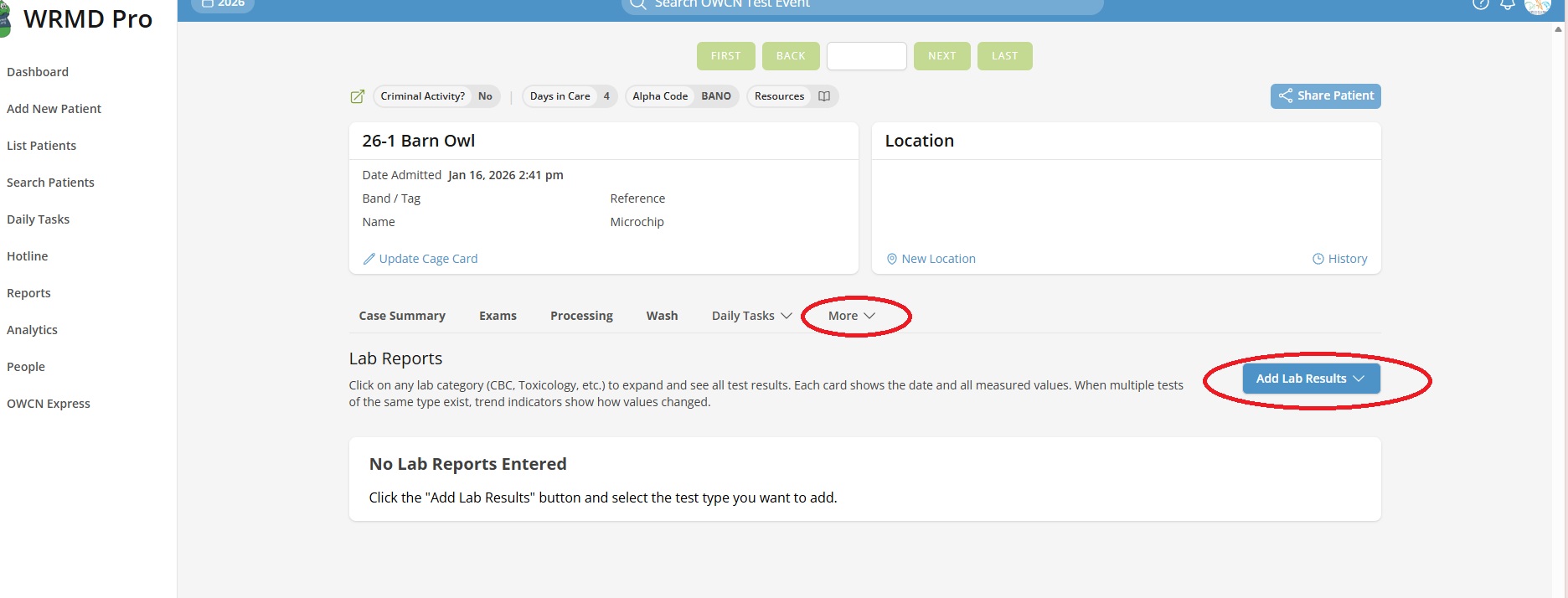
Lab Reports
Access laboratory test results and reports. Use this page to:
- View submitted lab results
- Add new lab report entries
- Track diagnostic testing over time
Exams
Access the daily examinations page to view and record physical exam findings. This provides a detailed examination history separate from the vitals tracked on the Case Summary.
Note: This option only appears when the Daily Exams extension is enabled and you have permission to view exams.
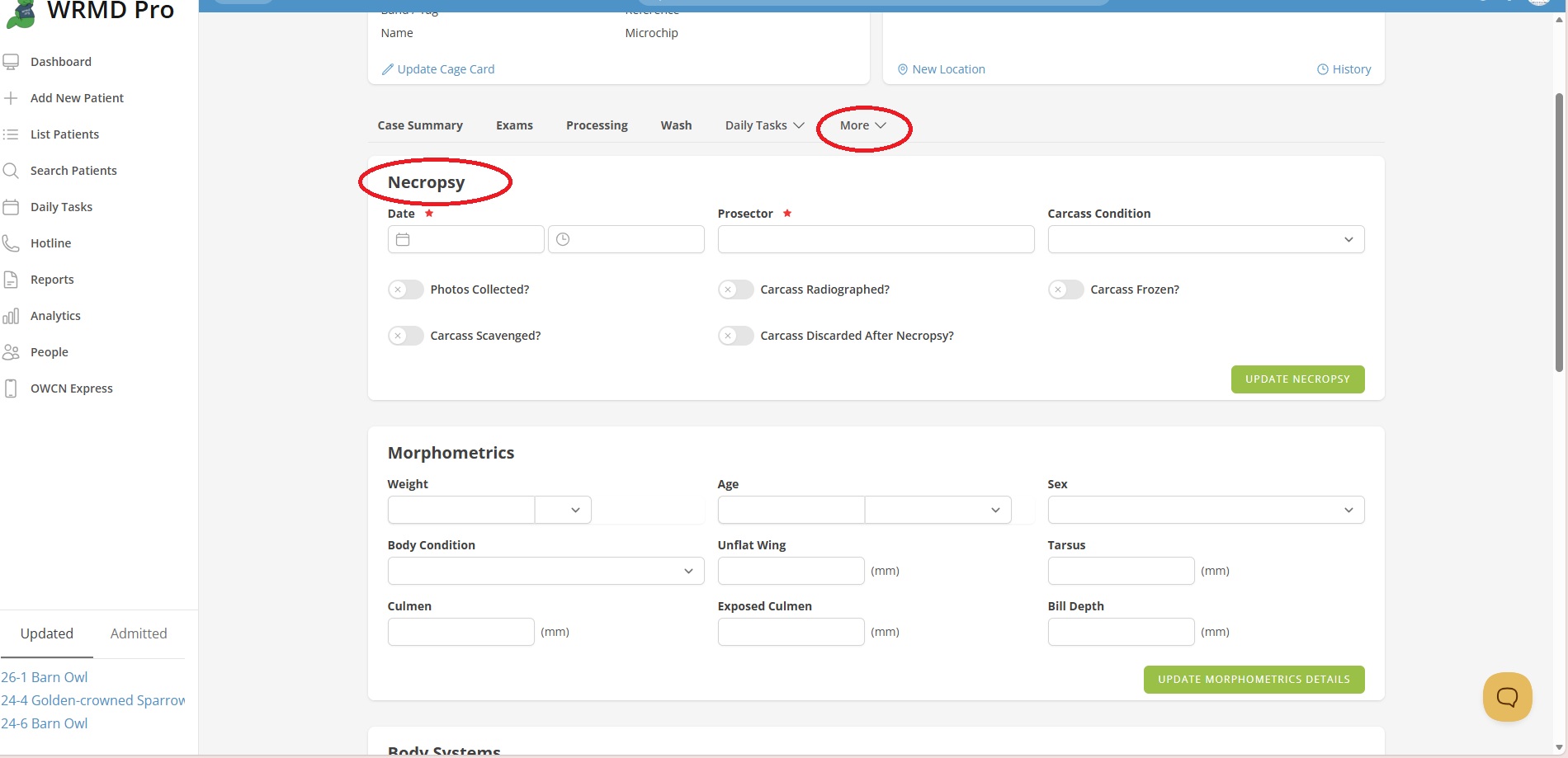
Necropsy
For deceased patients, access the necropsy documentation page to record post-mortem examination findings and cause of death determination.
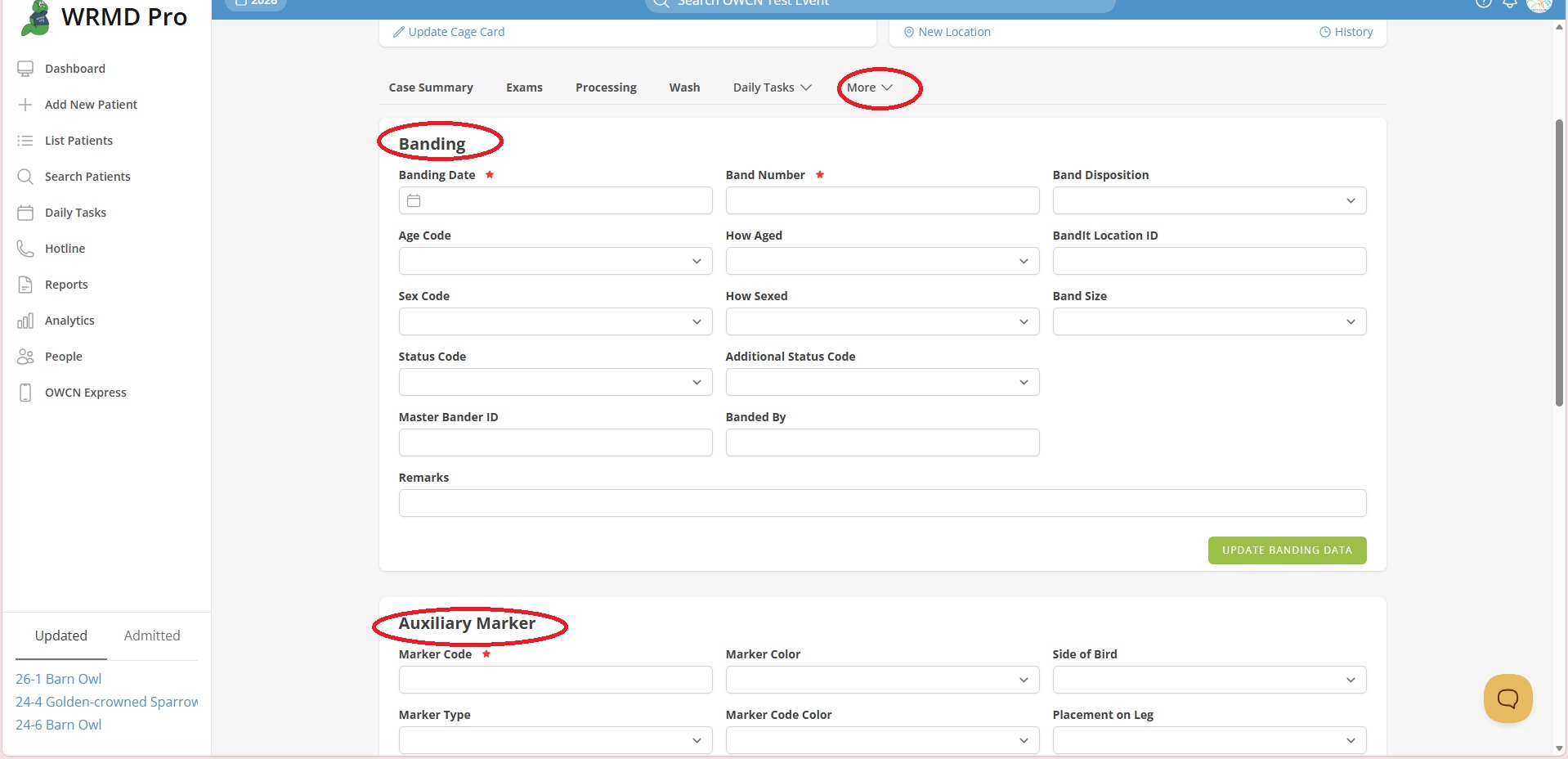
Banding and Morphometrics
Record banding information and morphometric measurements. Use this page to document:
- Band numbers and types
- Physical measurements (wing length, bill length, tarsus, etc.)
- Other identifying characteristics
Expenses
Track costs associated with the patient's care. This page requires the Expenses extension to be enabled and appropriate permissions.
Duplicate Patient
Create a copy of the current patient record. This option is available to users with permission to create patients.
Patient Analytics
View statistical and analytical data for this individual patient.
Audit Log
Review the full history of changes made to this patient record. This option requires permission to view revisions.
Page Availability
Not all pages appear for every user or patient. Pages are shown based on:
- Your permissions - You must have the appropriate access level to view certain pages
- Enabled extensions - Your organization must have specific features enabled
- Patient status - Some pages (like Necropsy) are most relevant for specific outcomes
If you don't see an expected page in the More menu, contact your administrator to verify your permissions and extension settings.