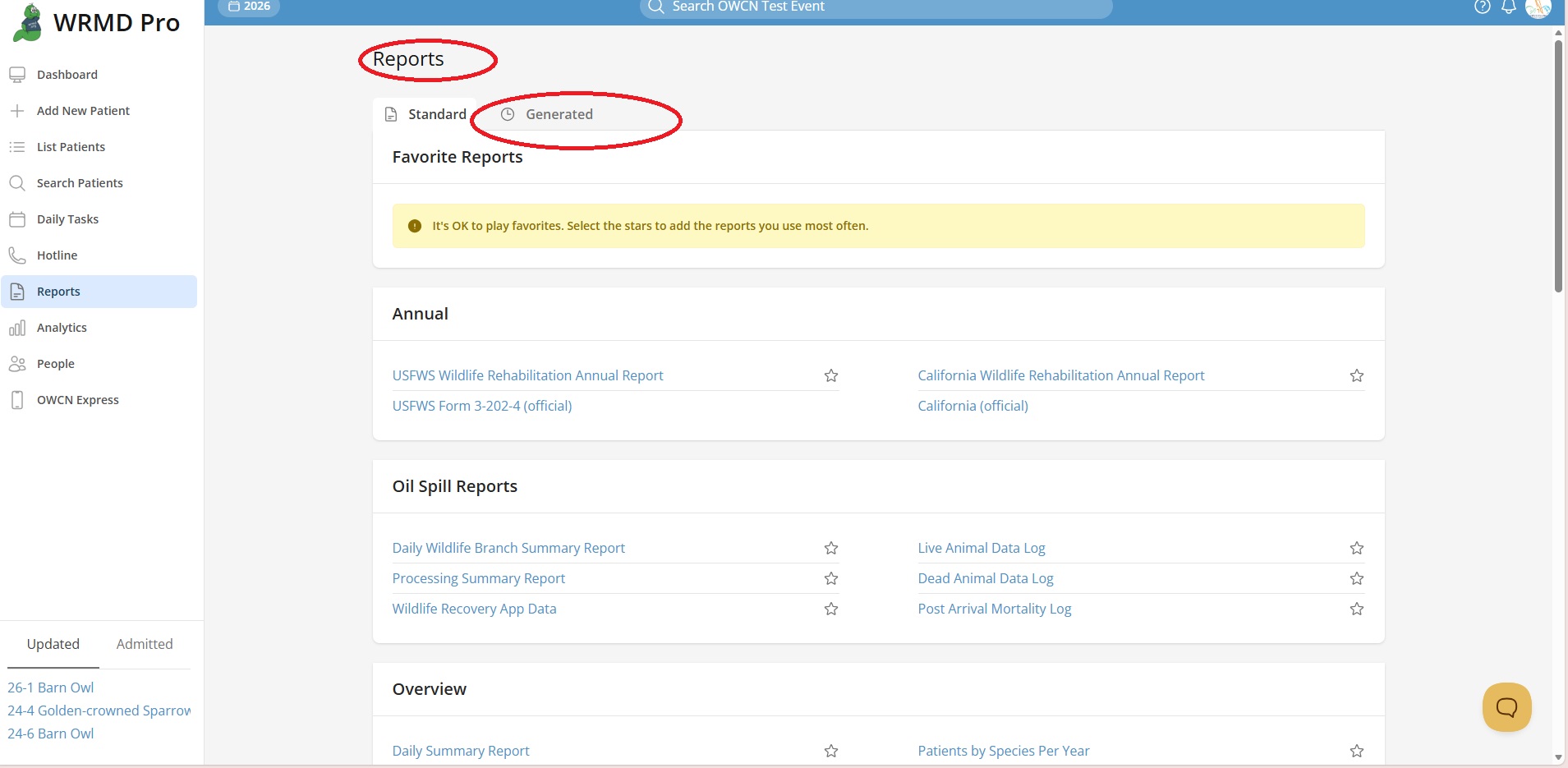
Oil Spill Reports
This tutorial explains the reports available when the Oil Spill extension is activated. These reports provide comprehensive documentation of oil spill response activities, from field collection through final disposition, and are essential for regulatory reporting and data analysis.
Accessing Reports
- Click Reports in the main navigation sidebar.
- Oil spill reports appear in the Oil Spill Reports section at the top of the reports list.
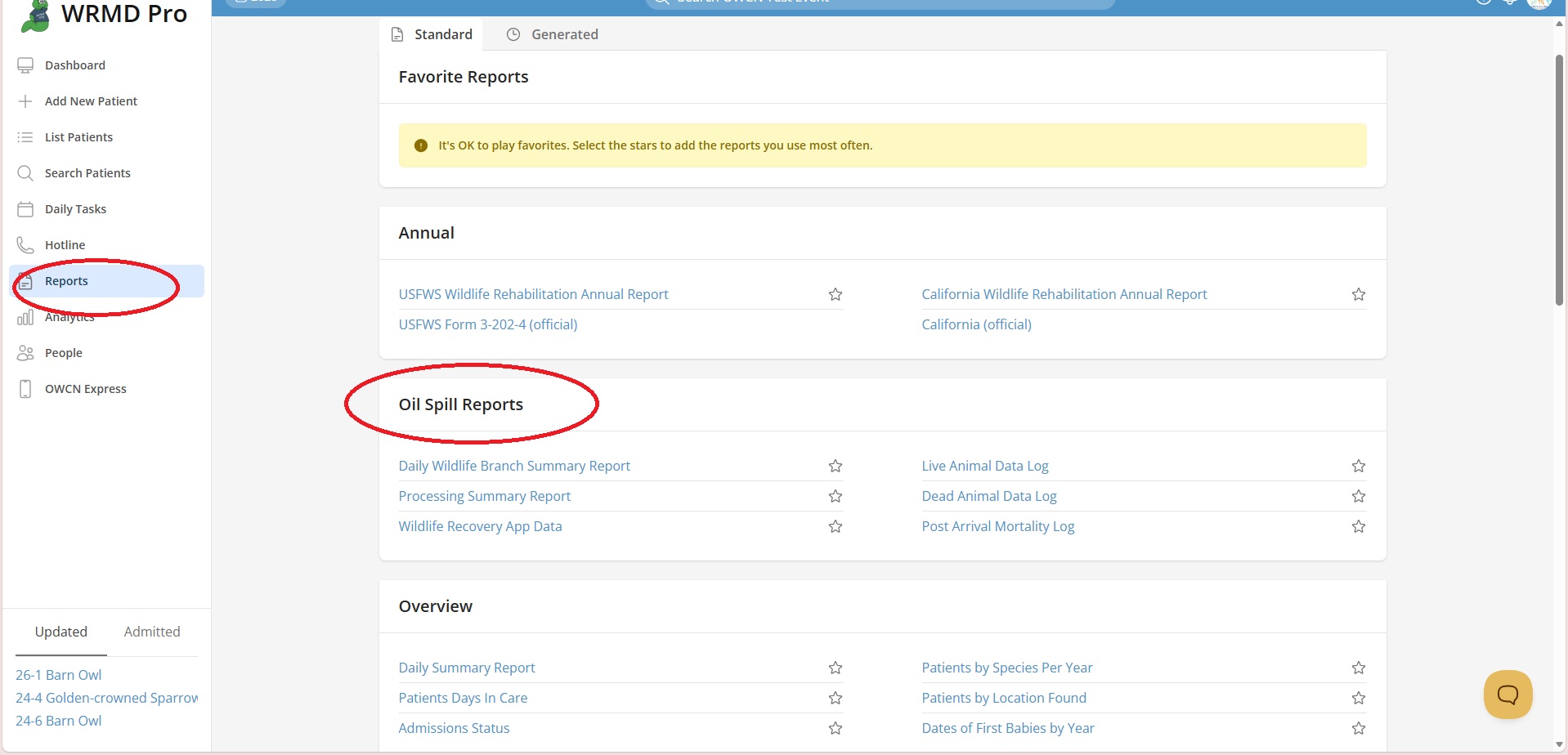
Note: Oil Spill Reports only appear when the Oil Spill extension is activated for your organization.
Available Reports
Daily Wildlife Branch Summary Report
Purpose: Provides a high-level summary of all response activities, grouped by animal type.
What it includes:
- Summary statistics for each taxa group:
- Birds
- Terrestrial Mammals
- Marine Mammals
- Sea Otters
- Terrestrial Herptiles
- Marine Herptiles
- For each group, the report shows:
- Animals captured
- Animals cleaned
- Animals released
- Dead on arrival (DOA)
- Euthanized
- Died in care
- ICS-209 summary totals (used for incident command reporting)
- Data organized by collection date throughout the response period
Best used for: Daily briefings, incident command reporting, and tracking overall response progress.
Tip: This report uses the Oil Spill Start Date and End Date from your OWRMD settings to define the reporting period.
Processing Summary Report
Purpose: Provides a comprehensive spreadsheet of all patients with their complete processing data.
What it includes:
- Log Number and QR Hash
- Common Name (species)
- Collection details:
- Date collected
- Collection condition (alive/dead)
- Collection location with coordinates
- Collector name(s)
- Processing details:
- Date admitted
- Date processed
- Processor names (for species, evidence, and oiling data)
- Oiling assessment:
- Oiling status
- Oiling percentage
- Oiling depth
- Oiling location on body
- Oil condition and color
- Evidence collected
- Carcass condition and scavenging extent (for deceased animals)
- Processing comments
- Disposition date
- Disposition location
Export format: Spreadsheet (can be exported to Excel)
Best used for: Comprehensive data review, regulatory submissions, and detailed response documentation.
Wildlife Recovery App Data
Purpose: Exports data collected from the Wildlife Recovery mobile app during field operations.
What it includes:
- Log Number (if linked to a patient)
- Survey information (ID, name, method)
- Spill name and team name
- User organization and surveyor name
- Entry timestamp
- Animal type and count
- Taxa and subtype
- Condition
- Field notes
- Location description with coordinates
- Priority flag
- QR code
- Photo references
Best used for: Reviewing field data, reconciling mobile app entries with patient records, and analyzing field collection patterns.
Live Animal Data Log
Purpose: Lists all patients that were collected alive.
What it includes:
- Log Number and QR Hash
- Arrival date and time
- Collection date, time, and location with coordinates
- Collected by (name)
- Processing date, time, and processor names
- Species and alpha code
- Reference number and band/tag
- Oiling assessment (status, percentage, depth, location)
- Evidence collected (Photo, Feathers, Pelage, Swab, Other)
- Disposition details (date, location, coordinates, reason, dispositioned by)
- Processing comments
Export format: Spreadsheet (landscape orientation)
Best used for: Tracking live animal intake, analyzing survival rates, and documenting the care pathway for live patients.
Dead Animal Data Log
Purpose: Lists all patients that were collected dead (DOA).
What it includes:
All fields from the Live Animal Data Log, plus:
- Carcass condition
- Extent of scavenging
- Morphometric data:
- Age code and sex code
- Wing chord
- Tarsus length
- Bill depth
- Culmen and exposed culmen
- Morphometrics remarks
Export format: Spreadsheet (landscape orientation)
Best used for: Mortality documentation, carcass tracking, and providing data for necropsy coordination.
Post Arrival Mortality Log
Purpose: Lists all patients that died or were euthanized after admission to primary care.
What it includes:
- Log Number and QR Hash
- Band number
- Common Name (species)
- Date of death
- Disposition type (Died/Euthanized)
- Dispositioned by (name)
- Last known location
Best used for: Tracking in-care mortality, identifying patterns in post-arrival deaths, and quality assurance review.
Tip: This report helps distinguish between animals that arrived dead (DOA) versus those that died after receiving care, which is important for analyzing treatment outcomes.
Running a Report
- Navigate to the Reports page.
- Find the desired report in the Oil Spill Reports section.
- Click on the report name to open it.
- Configure any available filters (such as date range).
- Click Generate Report or Export to create the report.
Tip: Most oil spill reports can be exported as spreadsheets for further analysis in Excel or other software.
Report Filters
Some reports include filters to narrow the data:
- Date Range - Filter by admission date or collection date
- Year - Some reports automatically filter to the Oil Spill Year configured in OWRMD settings
Exporting Reports
Most oil spill reports support export to spreadsheet format:
- Generate the report with your desired filters.
- Click the Export or Download button.
- The report will download as an Excel. You may need to go to Reports - Generated located at the top tab section in the Reports section.