Recording Wash Sessions for Oiled Animals
This tutorial explains how to document wash sessions for oiled wildlife patients. The Wash page tracks each washing event including pre-treatment, washing, rinsing, drying, and the personnel involved in each step.
Accessing the Wash Page
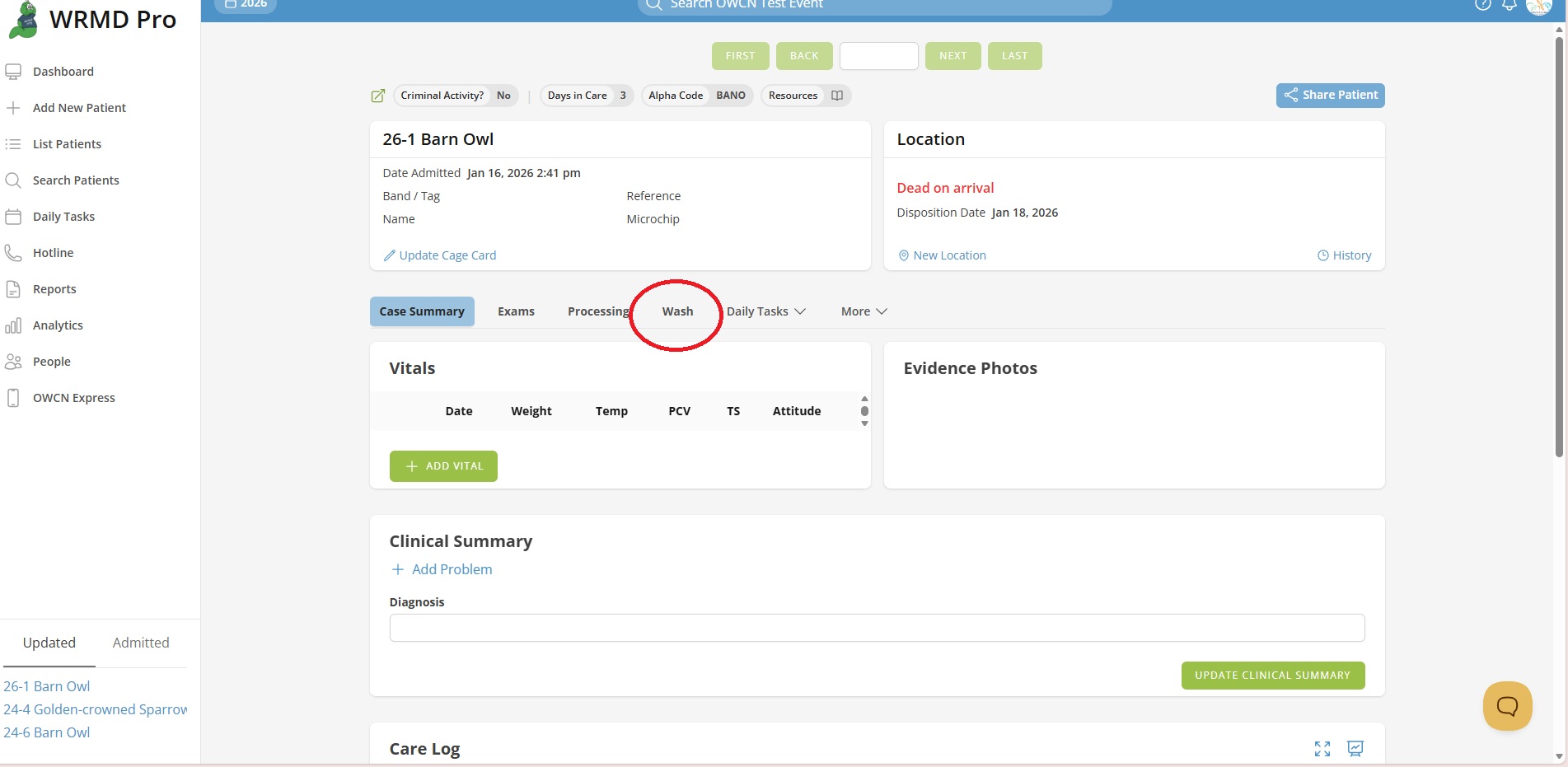
- Navigate to an oiled patient's record.
- Click the Wash tab in the patient navigation menu.
Adding a Wash Record
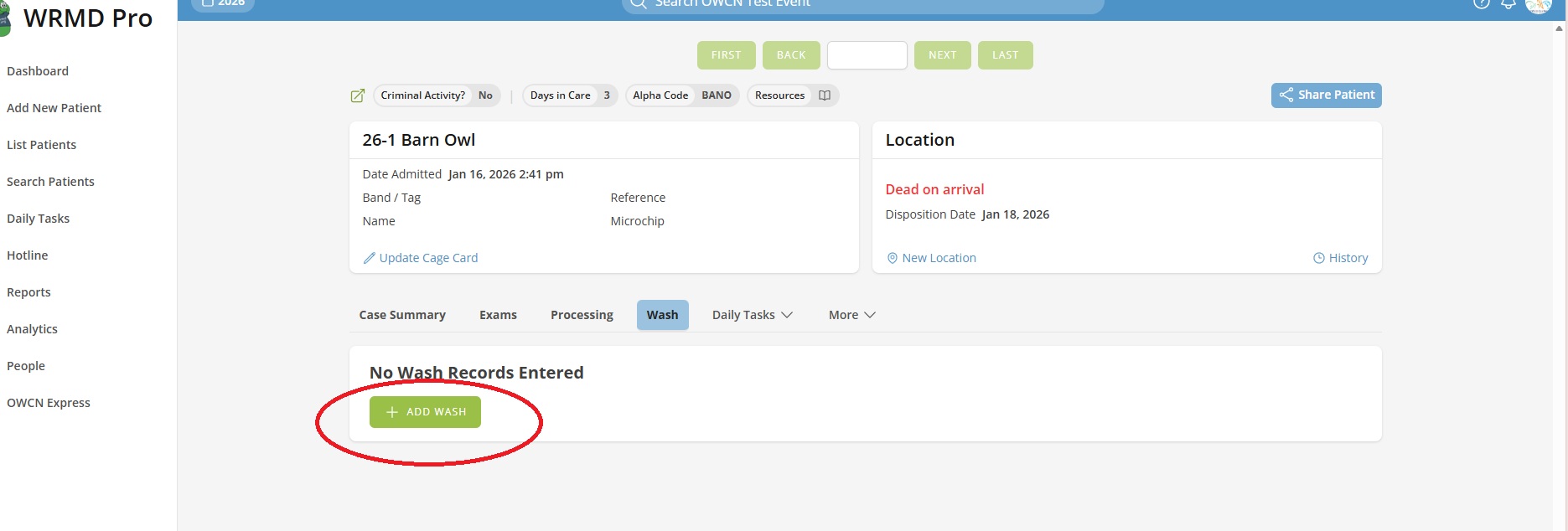
- Click the Add Wash button (or Add New Wash if wash records already exist).
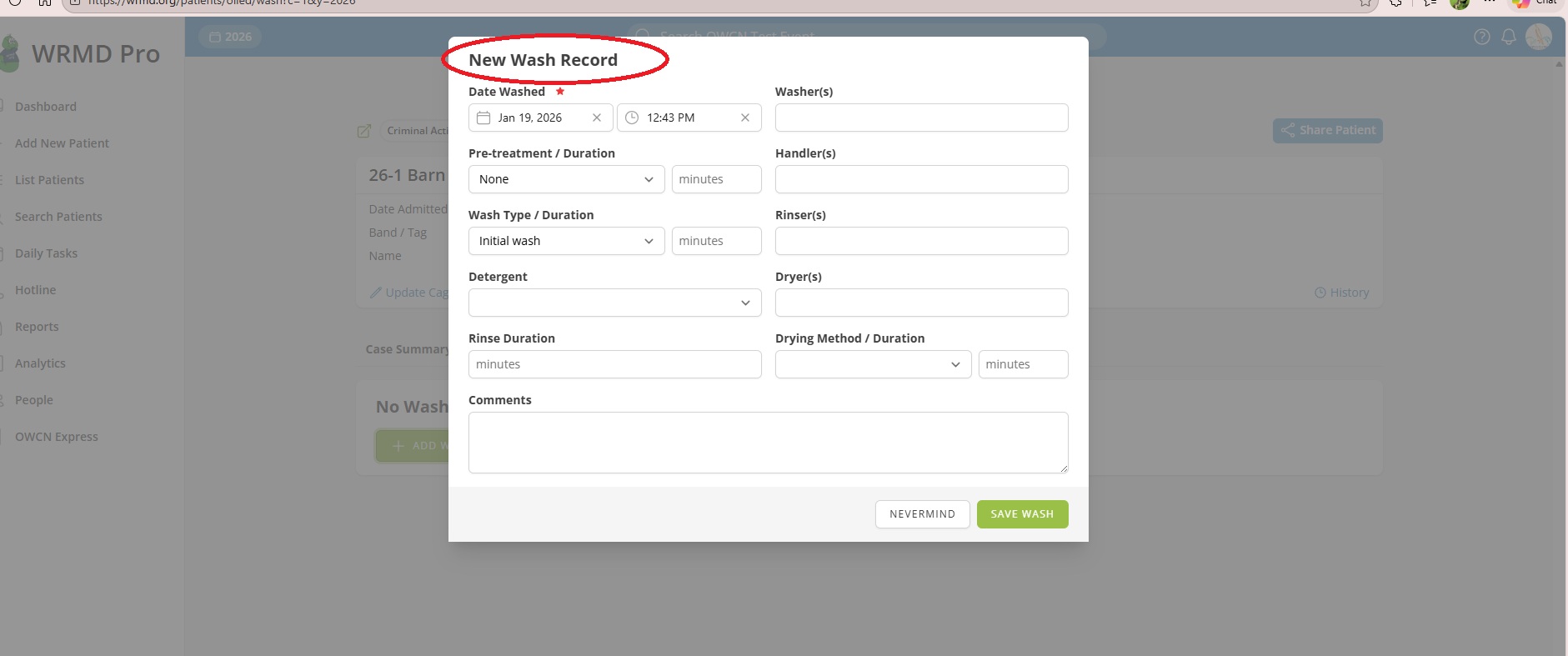
- A modal window will open with the wash record form.
Step 1: Enter Date and Time
- Enter the Date Washed when the wash session occurred.
- Enter the time of the wash session.
Note: The date and time will default to the current date and time.
Step 2: Record Pre-treatment Details
If a pre-treatment was applied before washing:
- Select the Pre-treatment type from the dropdown menu.
- Enter the Duration in minutes.
Tip: If no pre-treatment was performed, leave the pre-treatment set to "None" or select the appropriate option.
Step 3: Record Wash Details
- Select the Wash Type from the dropdown (e.g., Initial, Additional).
- Enter the Wash Duration in minutes.
- Select the Detergent used from the dropdown menu.
Step 4: Record Rinse Duration
- Enter the Rinse Duration in minutes.
Step 5: Enter Personnel Information
Document all personnel involved in the wash session:
- Enter the name(s) of the Washer(s) who performed the washing.
- Enter the name(s) of the Handler(s) who restrained the animal.
- Enter the name(s) of the Rinser(s) who performed the rinsing.
- Enter the name(s) of the Dryer(s) who performed the drying.
Tip: You can enter multiple names in each field, separated by commas.
Step 6: Record Drying Details
- Select the Drying Method from the dropdown menu.
- Enter the Drying Duration in minutes.
Step 7: Add Comments
- Enter any additional observations or notes about the wash session in the Comments field.
- Click Save Wash to create the record.
Viewing Wash Records
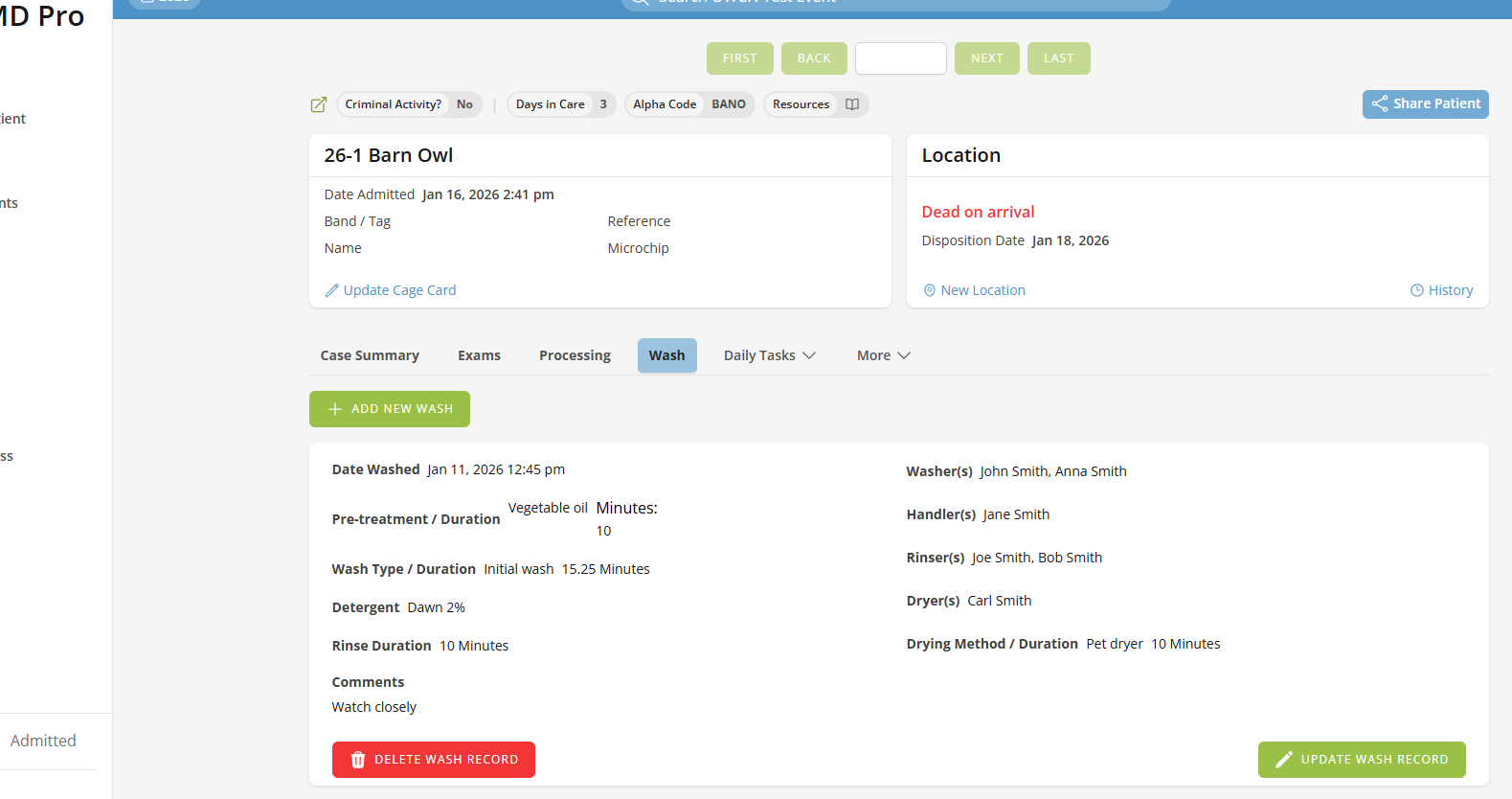
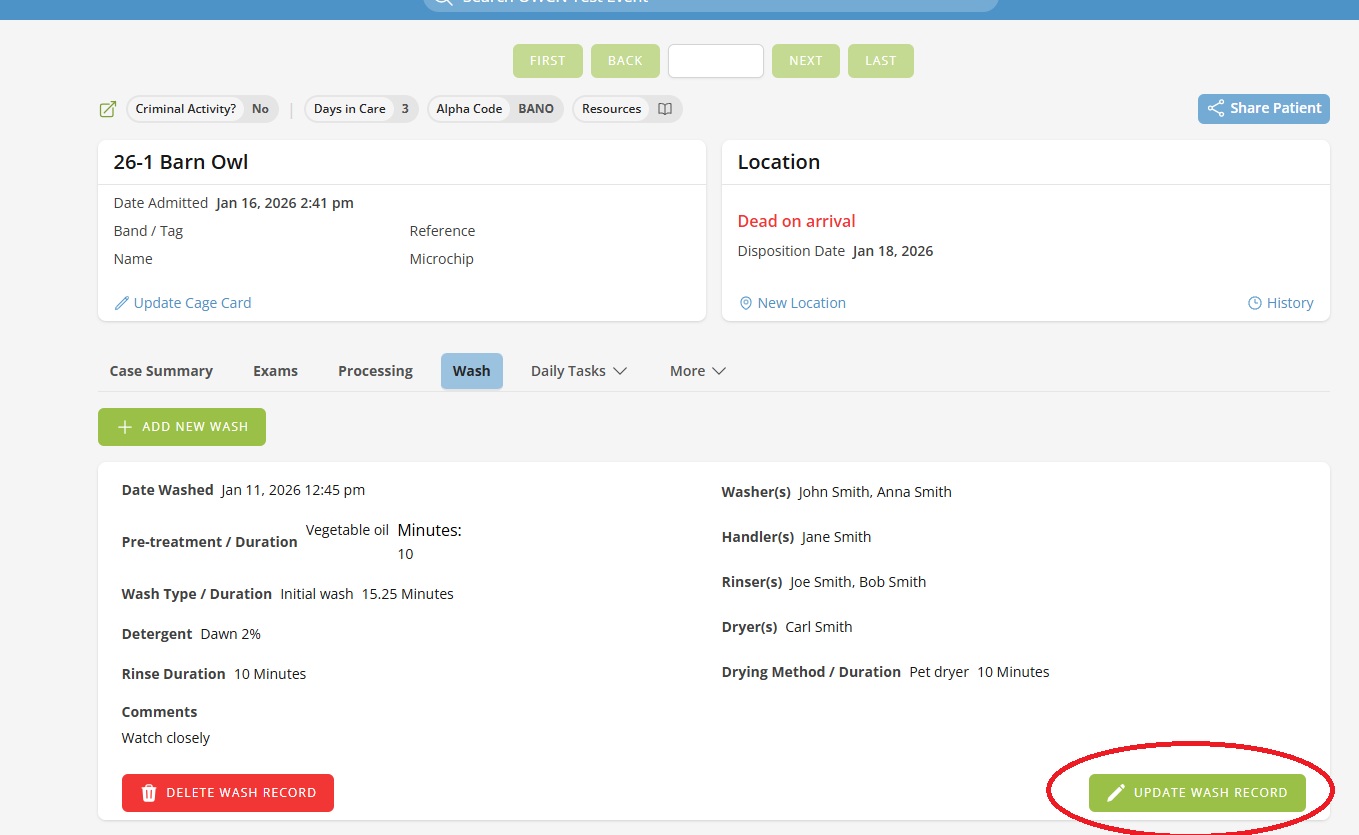
After saving, wash records appear as cards on the Wash page. Each card displays:
- Date and time washed
- Pre-treatment type and duration
- Wash type and duration
- Detergent used
- Rinse duration
- Personnel names (washer, handler, rinser, dryer)
- Drying method and duration
- Comments
Editing a Wash Record
- Locate the wash record card you want to edit.
- Click the Update Wash Record button at the bottom of the card.
- Modify the information in the modal window.
- Click Save Wash to save your changes.
Deleting a Wash Record
- Locate the wash record card you want to delete.
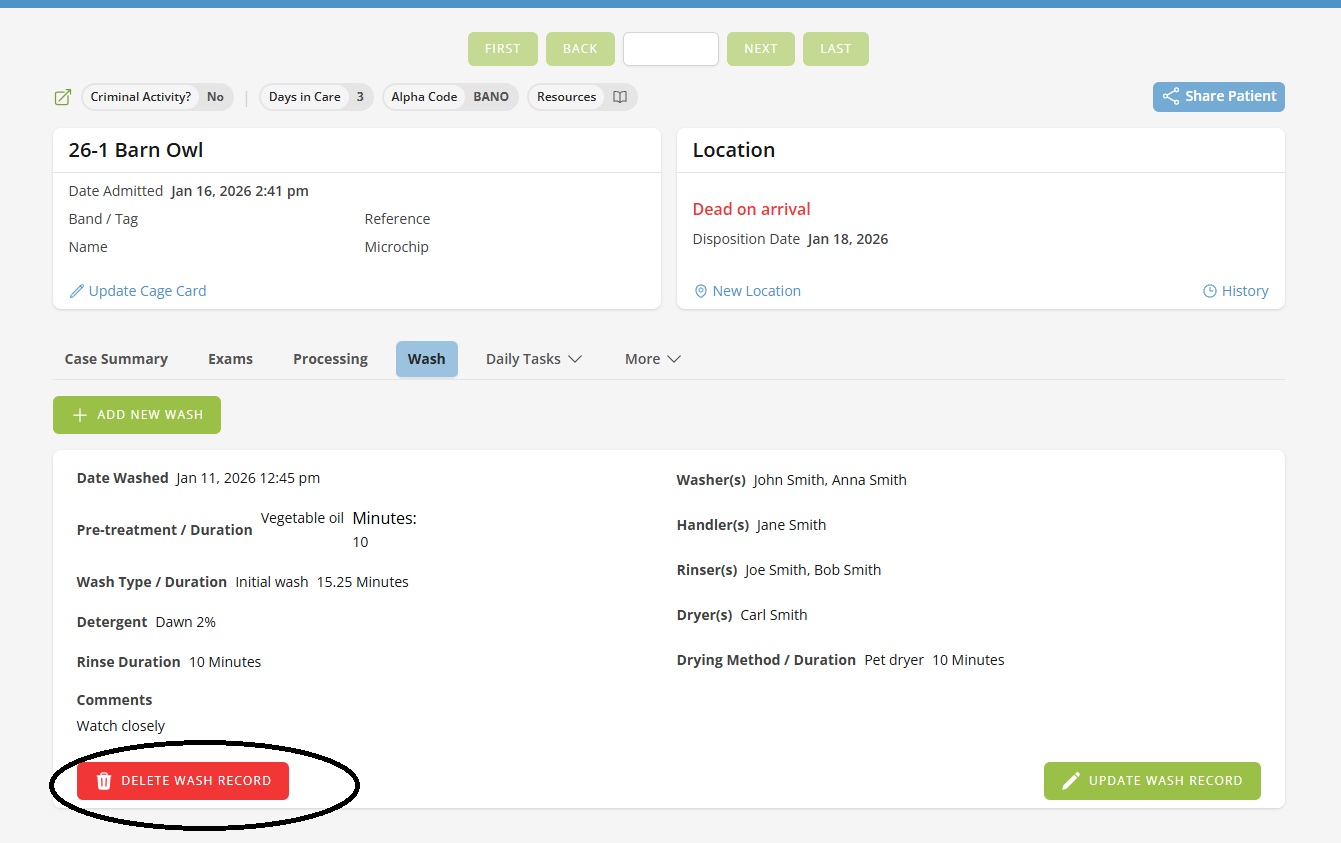
- Click the Delete Wash Record button (red button) at the bottom of the card.
- Confirm the deletion in the confirmation dialog.
Warning: Deleting a wash record is permanent and cannot be undone.
Multiple Wash Sessions
Animals may require multiple wash sessions to fully remove oil contamination. Each wash session should be recorded as a separate wash record. The Wash page displays all wash records for the patient, allowing you to track the complete washing history.