How to Navigate Multiple Patient Records
In this tutorial, you will learn how to navigate through multiple patient records.
WRMD simplifies record navigation with four main methods.
Method 1: Using the Pagination Buttons
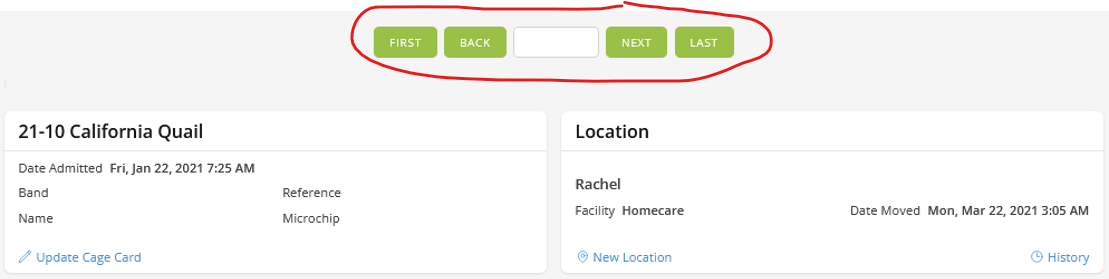
At the top of each patient record, you will find pagination buttons which allow you an easy way to navigate forward or backward between records.
- Back/Next Buttons
- Navigate through multiple records by clicking the pagination links at the top of the page. Click the links when they are active (not grayed out). If the links appear grayed out, it means you have reached the end of the list.
- First/Last Buttons
- Use these buttons to jump to the first or last record in the list. The same disabled styling applies as explained above.
Method 2: Using the Recent Patients List
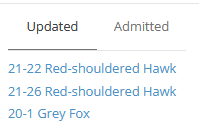
At the bottom of the left navigation sidebar is quick access to your newly admitted or newly updated patients. By clicking on any of the patients listed under the updated or admitted tabs, you will be directed to their records instantly.
- Updated Tab
- Displays the most recently updated patients.
- Admitted Tab
- Displays the most recently admitted patients.
Method 3: Using the Search Field
If you know the patient number, you can type it into the search field that is located in between the pagination buttons.
- Search Input Field
- Use the Search Input Field if you know the patient's number. For example, if you know the patient is number 9, just type it in. When you change the value in the field, WRMD will automatically take you to that patient's record. You can even go to a record from a different year. Just type in the year and patient number (19-10) and WRMD will take you to that specific record.

Method 4: Using Group Pagination Buttons After a Search
If you have done a search and WRMD finds several patients that meet your criteria, you can easily navigate through this list by using the search result pagination buttons. These buttons appear above the regular navigation buttons after you click on one of the patients in the search results.
- Prev/Next Buttons (Search Results)
- These buttons appear at the top of the patient's record and allow you to paginate through your search results. A counter shows your current position (e.g., 3 of 12). You can see them above the regular navigation buttons.
Be aware that if you click the normal pagination buttons, you will be paginating outside of your group search results and your group search will be removed from memory. This is because WRMD assumes you are back in the regular pagination mode.