Updating Continued Care Information
In this tutorial, you will learn how to update the continued care information for your patients' records.
What is Continued Care?
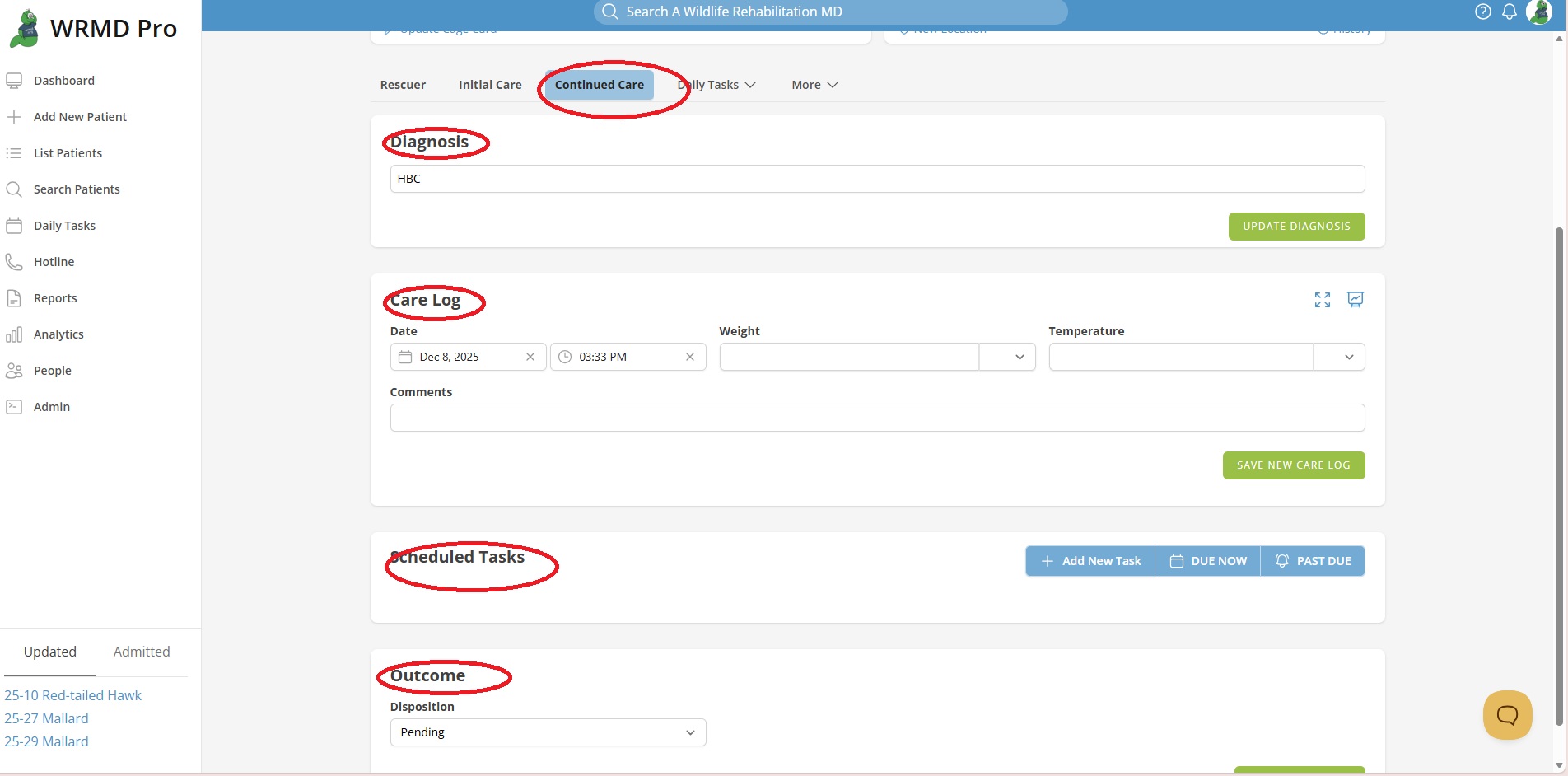
The continued care page is where you record the daily care or treatments for the patient after the first 24 hours of care and throughout their stay at your hospital. On the Continued Care page, there are three panels:
- Clinical Summary
- This section appears on both the Continued Care Tab and the Initial Care tab for easy reference.
- Care Log
- This panel is where you record all of your daily treatments for the animal's care. You can also scroll through the list of treatments performed on the animal.
- Scheduled Tasks
- Outcome
- This section appears on both the Continued Care Tab and the Initial Care tab for easy reference. Information in this field relates to the animal's disposition.
Understanding the Care Log Panel
This is one of the most important panels on this page. It serves as the central hub for documenting crucial information about the patient. You can log the date of treatment, the animal's weight (if applicable), and detailed information about the animal's care such as the animal's activity level, treatments you performed, medications administered, or general observations you have witnessed. You can also easily scroll through all the previous treatments given to your patient in this panel. To simplify the information recording process, WRMD automatically transfers relevant treatment details to this panel. For instance, initial exam information is seamlessly integrated for easy reference. Updates in your patient's location are also automatically reflected in this panel, keeping you informed. Should you want to record data or prescriptions in a way that is more unique or specific to your needs, you can activate various extensions offered by WRMD. This feature enables precise documentation of prescriptions, which seamlessly integrates into the treatment log.
Updating the Care Log Panel
Step 1
Go to the patient's record and click on the Continued Care tab.
Step 2
Go to the Care Log panel to record any activity, treatment, or observations about the animal.
Step 3
Click the green Save New Care Log button. Your notation will appear on the list.
Updating the Outcome (Disposition) Panel
Should the animal be ready for release, needs to be transferred, died, or was euthanized, you click the dropdown menu and choose the correct status of the patient. Click the green Update Outcome button when complete.
