How to Manage Your Veterinarians
In this tutorial, you will learn how to input and manage your veterinarians in WRMD.
Method 1: Add a Veterinarian
Step 1
Visit https://www.wrmd.org/login and log into your account using the username and password that you registered with.
Step 2
To access your account settings, click on your avatar in the upper right corner and choose Settings from the drop-down menu.

Step 3
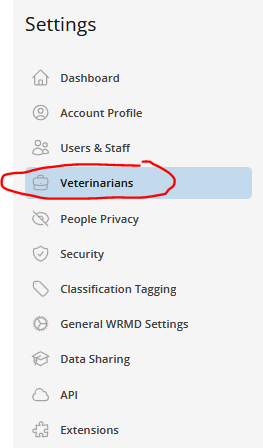
Click on the Veterinarians link to pull up a list of all the veterinarians in your organization.
Step 4
Click on the Add New Veterinarian button.

Step 5
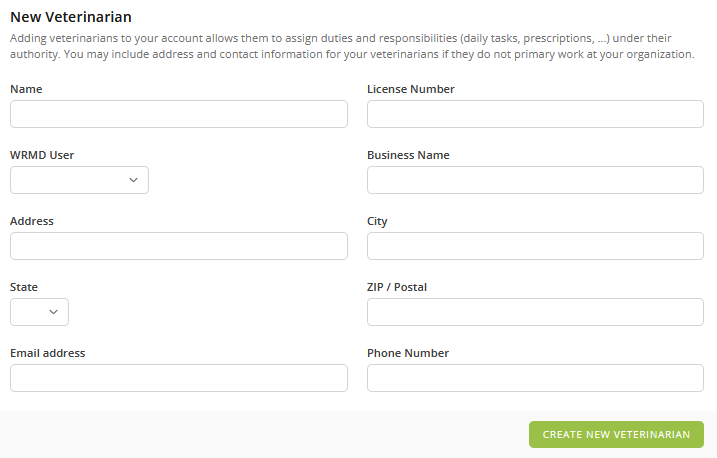
Fill in the name and provide the license number for your veterinarian. The license number will vary depending on the agency that defines what a veterinarian is in your country. Other fields include:
- WRMD User: You can indicate if the veterinarian is a user in your organization. Noting this will save you time if you are using the prescription extension feature. If you choose to use the prescriptions extension, the veterinarian's name(s) will appear by default in the associated field, and you can choose the corresponding name. If the veterinarian is the one who is signed in, it will default to their name.
- Business Name: If your veterinarian is associated with a clinic or practice, you can enter the business name here.
- Contact Information: If your veterinarian works off-site and not directly at your facility, it would be useful to include their contact information. Fields include address, city, state, postal code, email address, and phone number. Contact details can always be added or changed at any time.
Step 6
After completing the appropriate fields, click the Create New Veterinarian button.
Method 2: Update or Delete a Veterinarian
Step 1
Follow Steps 1-3, just as you would when adding a veterinarian.
Step 2
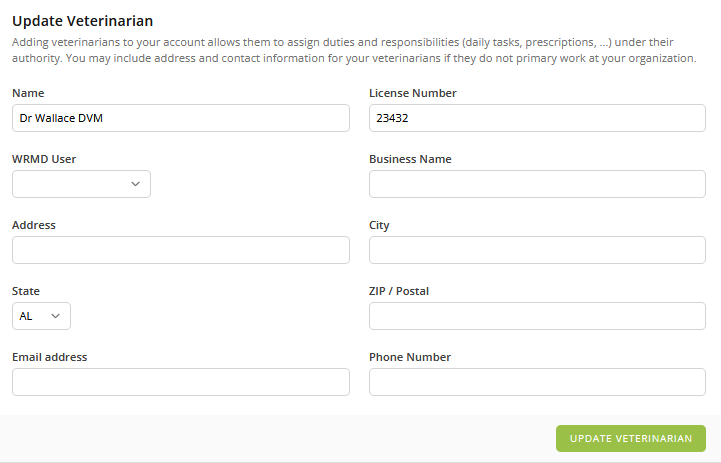
Click on the name of the veterinarian you wish to update to access their information. Change or modify any relevant information and click the Update Veterinarian button.
Step 3
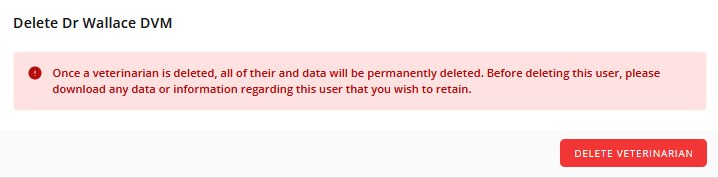
If your veterinarian is no longer affiliated with your organization and you want to remove them, you can accomplish this on the same page. It's important to note that deleting a veterinarian will result in the removal of all associated data. Therefore, before deletion, ensure that you download any data or information related to this user that you intend to keep.