Alternatives to Deleting a Patient
About Alternatives to Deleting Patients
We strongly suggest voiding or voiding then locking patients over literally deleting a patient because of the impact deletion has on your case number sequence. Case numbers are important within your organization because they help you keep track of your patients. Having a gap in your patient numbers could cause problems with your record-keeping and could potentially have legal ramifications. For this reason, WRMD only allows the actual deletion of the last admitted patient. This allows you to reuse that case number when the next animal is admitted.
Method 1: Voiding a Patient
What if you realize that one of your patients who is in the middle of your case number sequence is a mistake and you want to delete it? Instead of deleting that record, you can remove that patient from your data/statistics/analytics by voiding them. Once voided, that patient will no longer be counted in any of your reporting or analytics. The record still exists; it has just been removed as a data point in your patient records. This means that if you, anyone in your organization, or even the authorities want to know what that case number was, there will be no suspicious-looking gap in the number sequence.
Step 1
Log into your account and go to the specific patient record you want to void.
Step 2
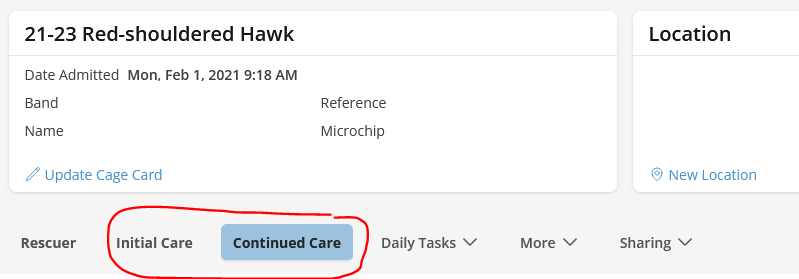
Click on either the Continued Care tab OR the Initial Care tab.
Step 3
At the top of the patient record, you will see a row of patient information badges. Click on any of the badges or the arrow icon next to them.

Step 4
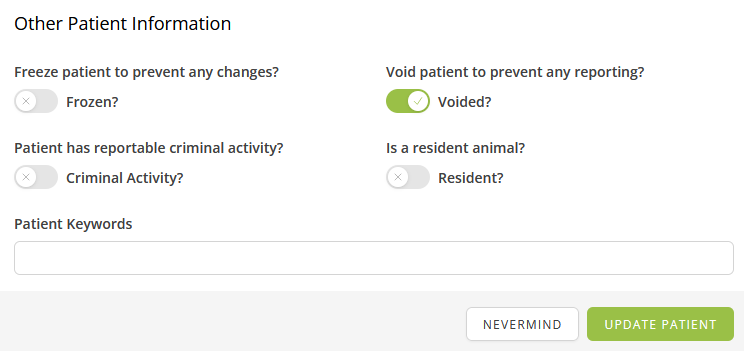
A popup screen will appear titled Other Patient Information with a series of questions. Under "void patient to prevent any reporting?", move the toggle to Voided. This will prevent any further reporting on that specific patient record.
Step 5
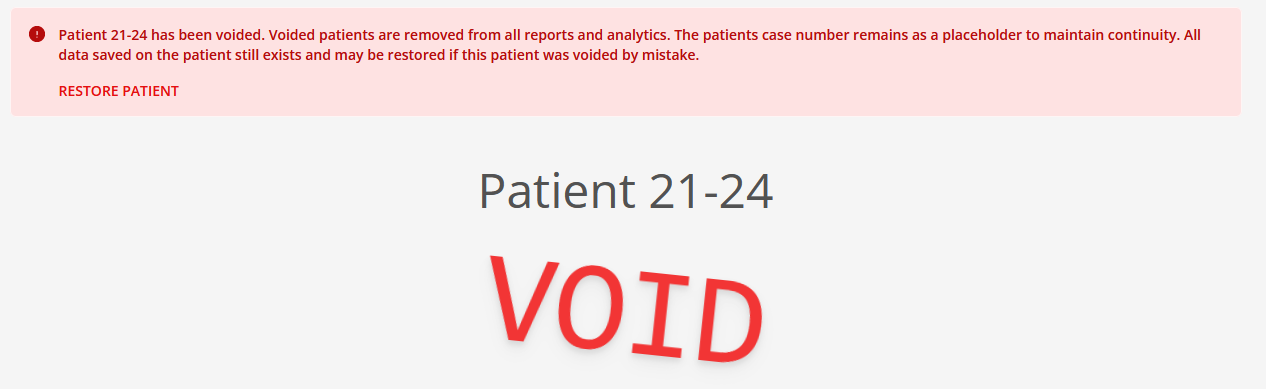
Click the Update Patient button. Voiding a patient changes the screen, removes the patient from reports, and preserves the patient's case number.
Step 6
A patient can be unvoided by users who have the Un-void Patients permission by clicking on the Restore patient button in the red alert banner at the top of the voided patient record.
Method 2: Locking a Patient
Another alternative to deleting a patient is to Lock the Patient. By performing this action, you will effectively prevent any further updates or changes to that record. This action can also be combined with Voiding the Patient.
Step 1
Lock the Patient Record by following Steps 1-3, just as you would when voiding the patient.
Step 2
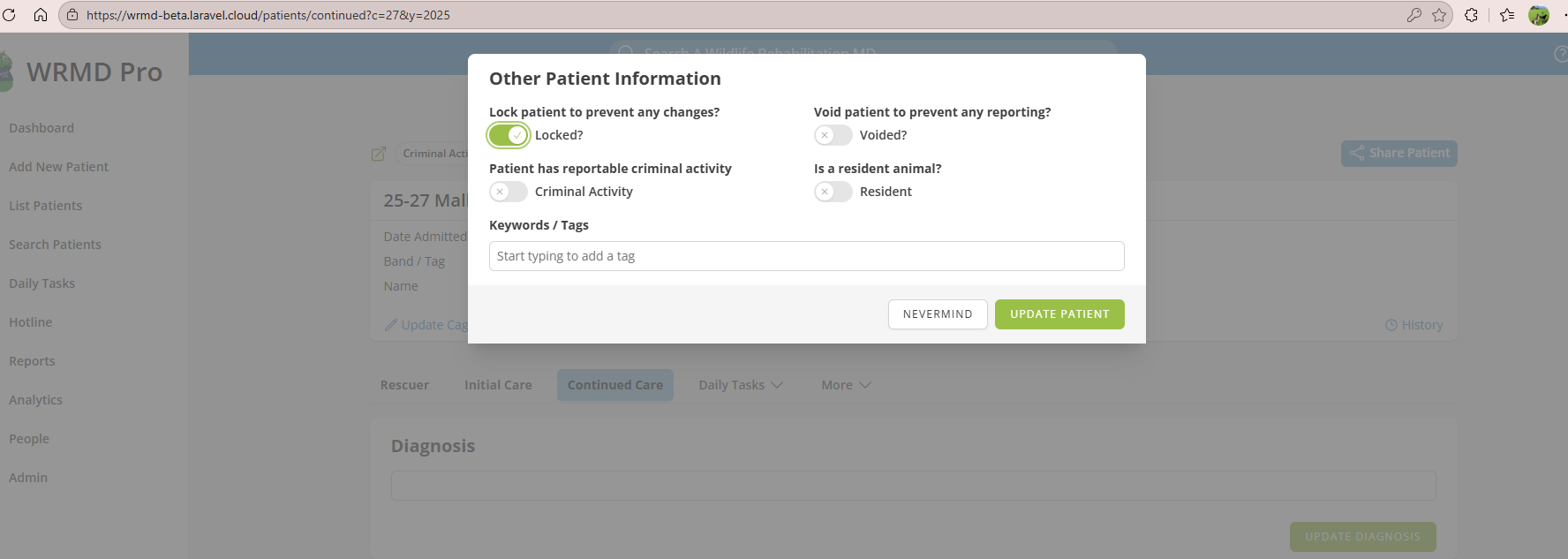
A popup screen will appear with a series of questions. Under "lock patient to prevent any changes?", move the toggle to Locked. This will prevent any further changes to that specific patient record.
Step 3
A patient can be unlocked by users who have permission to do so by repeating the above steps, moving the toggle back to its original position, and clicking Update Patient.